Affordable DNS Filtering
Create Family-Friendly networks with CleanBrowsing.
Pricing Plans

Need a custom plan? Email sales@cleanbrowsing.org
What You Get with CleanBrowsing
Everything you need for safe, reliable, and simple internet protection.
 Advanced Encryption
Protect your network with encrypted DNS protocols — DoH, DoT, and DNSCrypt — all enabled by default for safer browsing.
 Predefined Filters
Instantly apply 19+ ready-made filters to block adult, mixed, or harmful content with just a few clicks.
 Custom Allow / Block
Easily manage access by creating personalized “Allow” or “Block” lists for your network domains.
 Profiles
Group devices and assign custom filtering rules based on each group’s needs (e.g., Teachers vs Students).
 Data Retention
Control how long logs are stored — from privacy-first “no logs” mode to detailed 90-day records.
 Activity Monitoring
Track browsing activity through a simple, modern dashboard with real-time usage insights.
Apps Available for Common Devices
Select your device below to set up CleanBrowsing in just a few steps.


Are you a Managed Service Provider (MSP)?
Responsible for managing networks for your customers? The CleanBrowsing partner program might be what you're looking for. Offers the same benefits as the plans above, but includes a centralized management console.
*Starts at $10 / month / customer account
 partners@cleanbrowsing.org

Frequently Asked Questions
Here are some of the more common questions we get about our service.
Large organizations are encouraged to contact us at support@cleanbrowsing.org for more information.
We provide guides for a number of different routers.
The paid service gives the user the option to collect, and retain, activity data. It also gives the users to disable all tracking. What is tracked is dependent on the users configuration.
We typically respond to all emails within 8 hours. To help, we work hard to keep our support page current to ensure we can provide the best instruction as possible.
Please read: Technical Support – Remote Session via TeamViewer (cleanbrowsing.org)
Have more questions? Send emails to support@cleanbrowsing.org
21+ Pre-Defined Filters
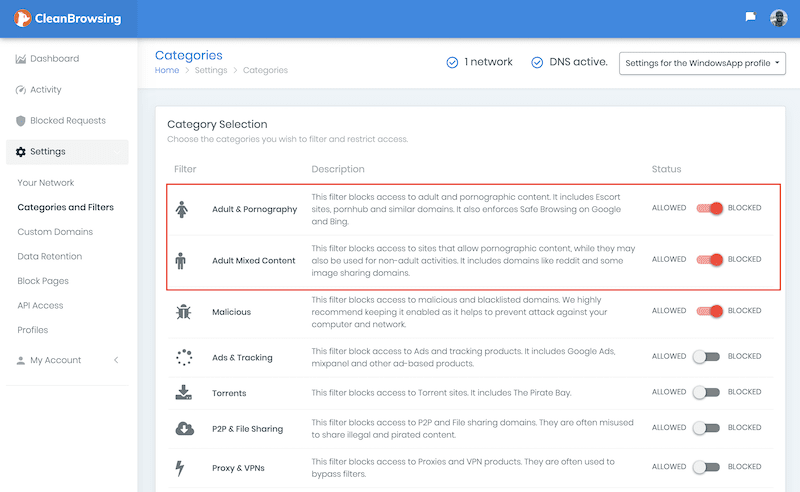
All paid plans offer 14 predefined filters (e.g., Gambling, Torrents, Search Engines, etc..) These predefined filters allow you to quickly block categories of sites blocks to occur based on based on your unique preference.
- Easily Toggle between predefined filters
- 21+ Total Predefined Filters
- Fast network propagation
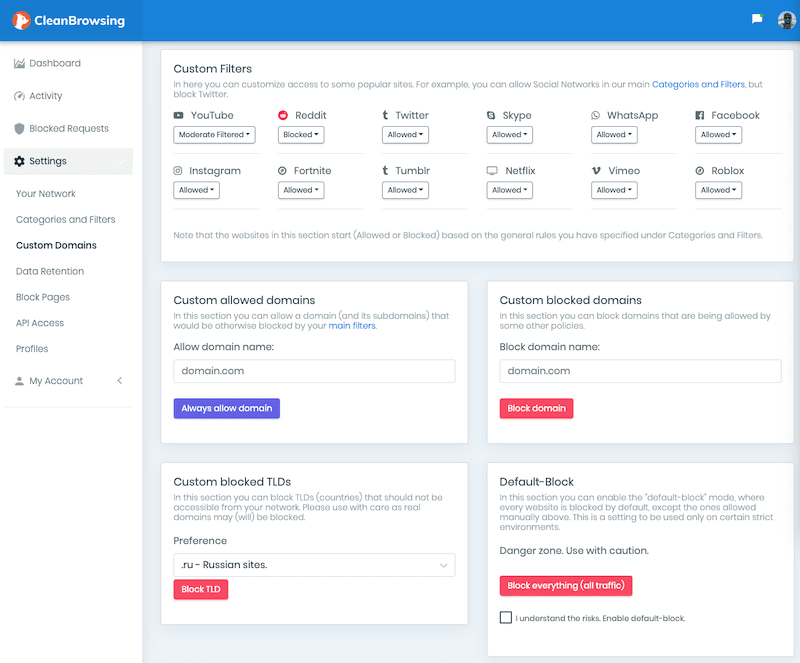
Custom Blocks and Allows
There may be instances where you want to create custom rules that don't fit within the predefined filters provided, that's where the advanced customization comes into play. Features include:
- Custom Allow Domains
- Custom Block Domains
- Block TLDs
- Block all Internet Access
Activity Logging & Visibility
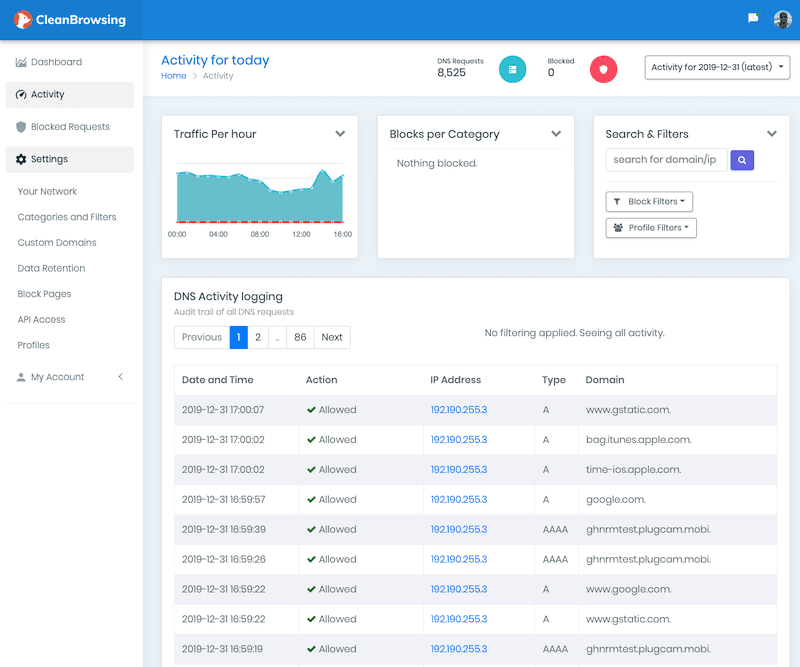
The logging feature allows you to see what is happening on the network. You can see what domains are being blocked, and what filters and rules are being triggered.
- Search Capability
- Filter by profiles
- Search by day
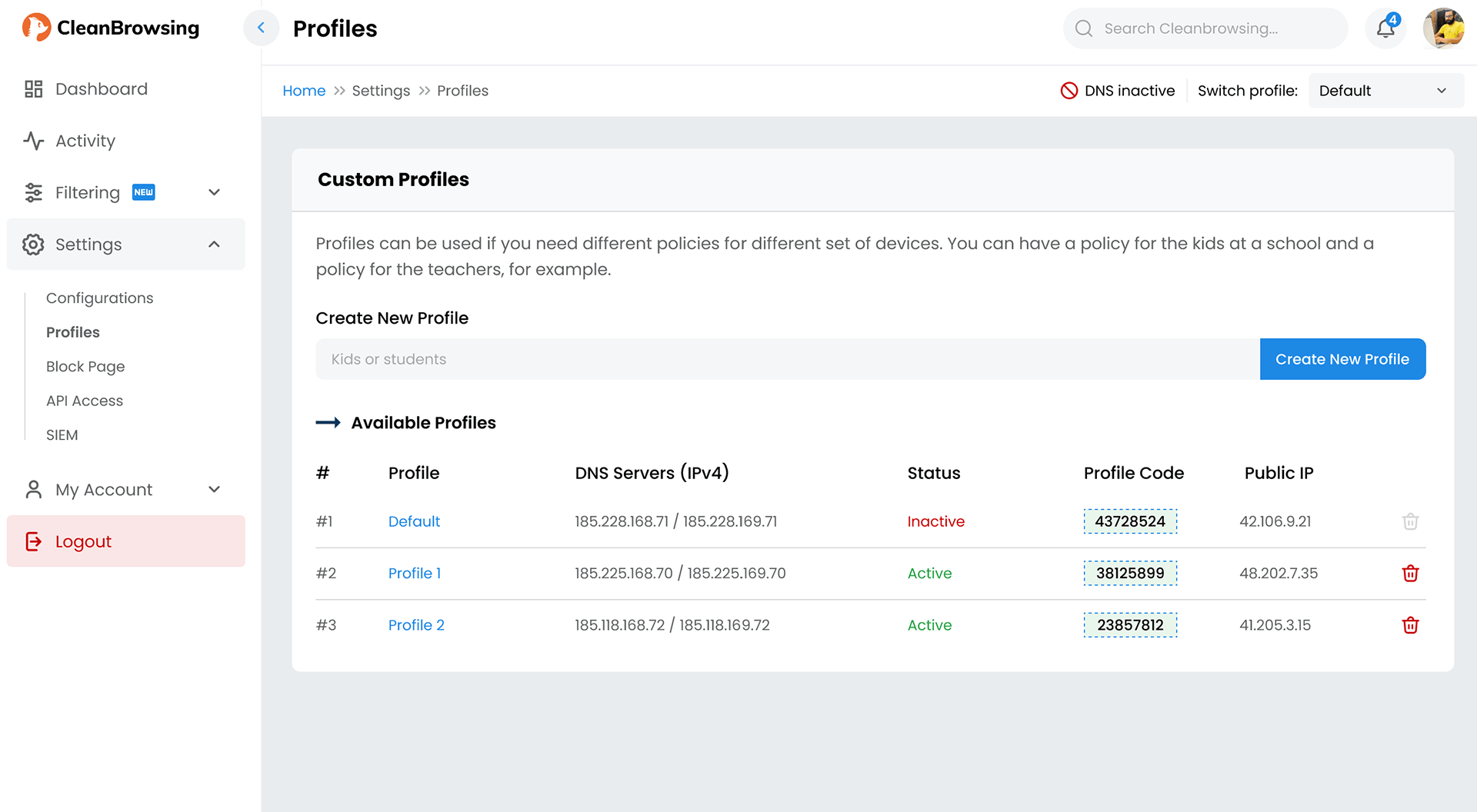
Group Devices with Profiles
One of the key features of the paid plans is the ability to create groups of users. Each group can have their own unique rules via the Profiles feature. This can be used to segment rules for Adults (e.g., Allow Social Domains) vs Kids (e.g., Disallow Social Domains), or to be used in an organization to conform to existing group / user policies.
- Basic: 3 Profiles
- Pro 50: 5 Profiles
- Pro 100: 10 Profiles
Have a question?
Whether it’s sales or support, the best way to reach us is by email.
support@cleanbrowsing.org
